-3.png?width=135&height=36&name=Seeker%20Logo%20red%20(1)-3.png)
Creating Your First Experience
1. Navigate to your dashboard
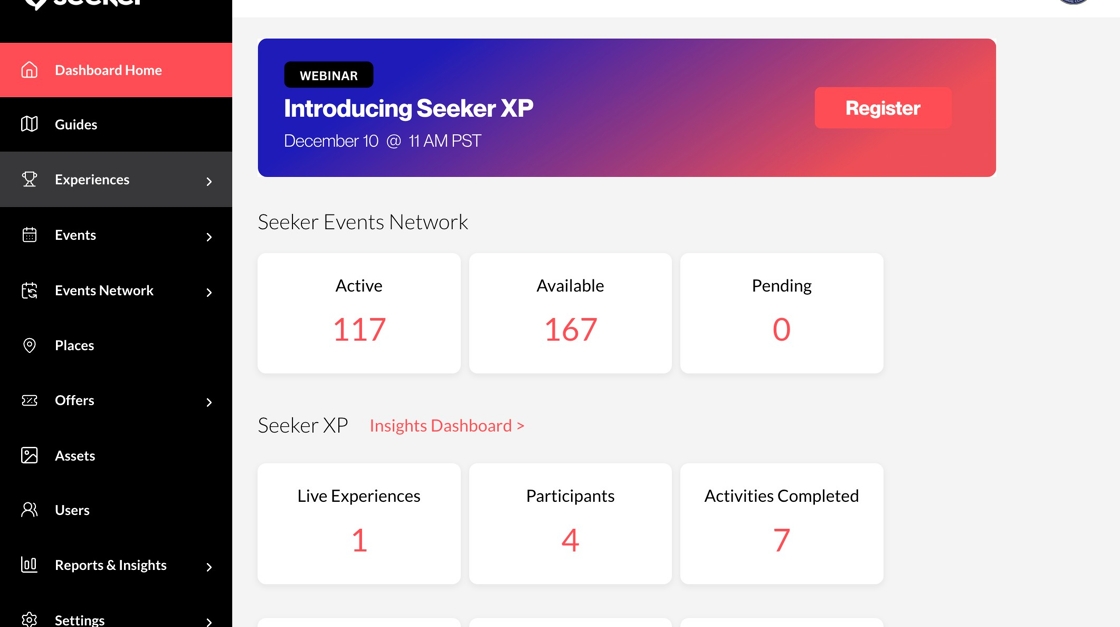
2. Click "Experiences"

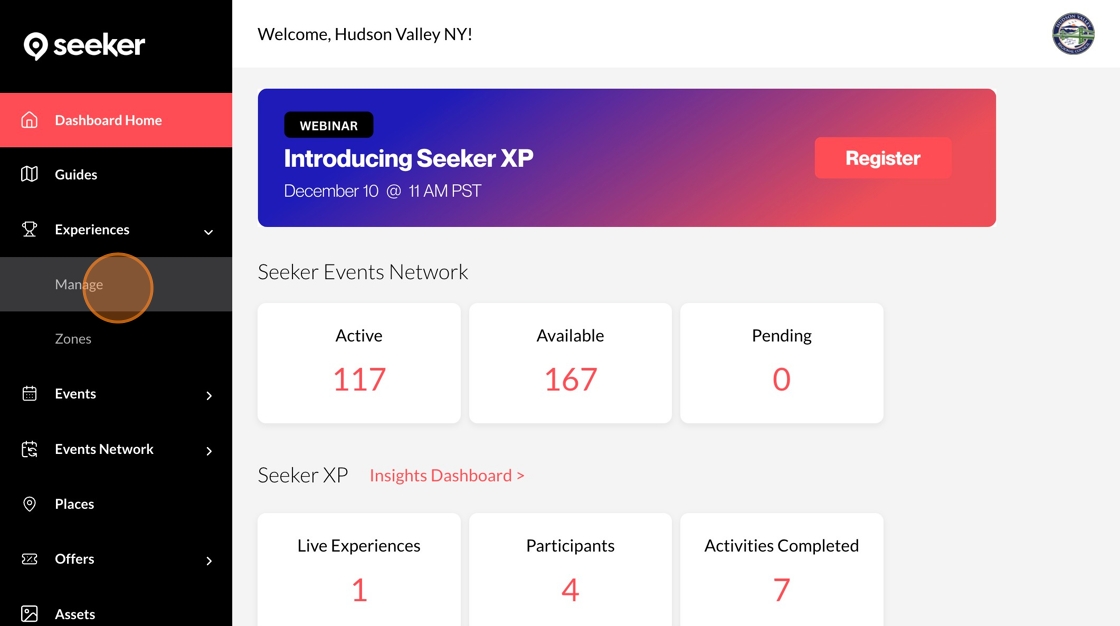
3. Click "Manage"
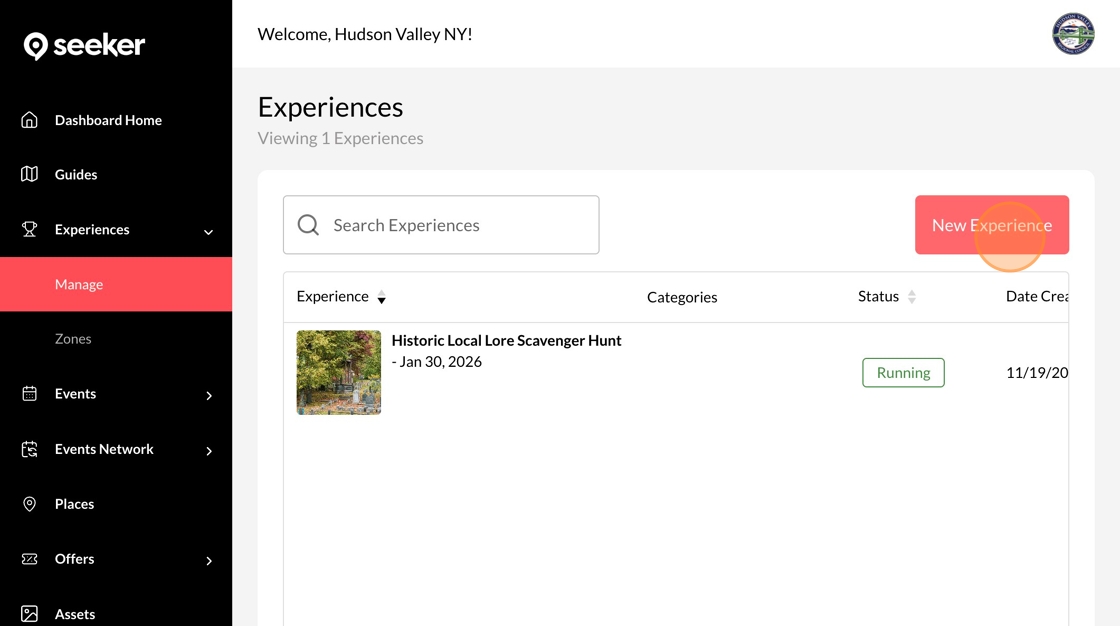
4. Click "New Experience"
5. Enter a Name for your new experience

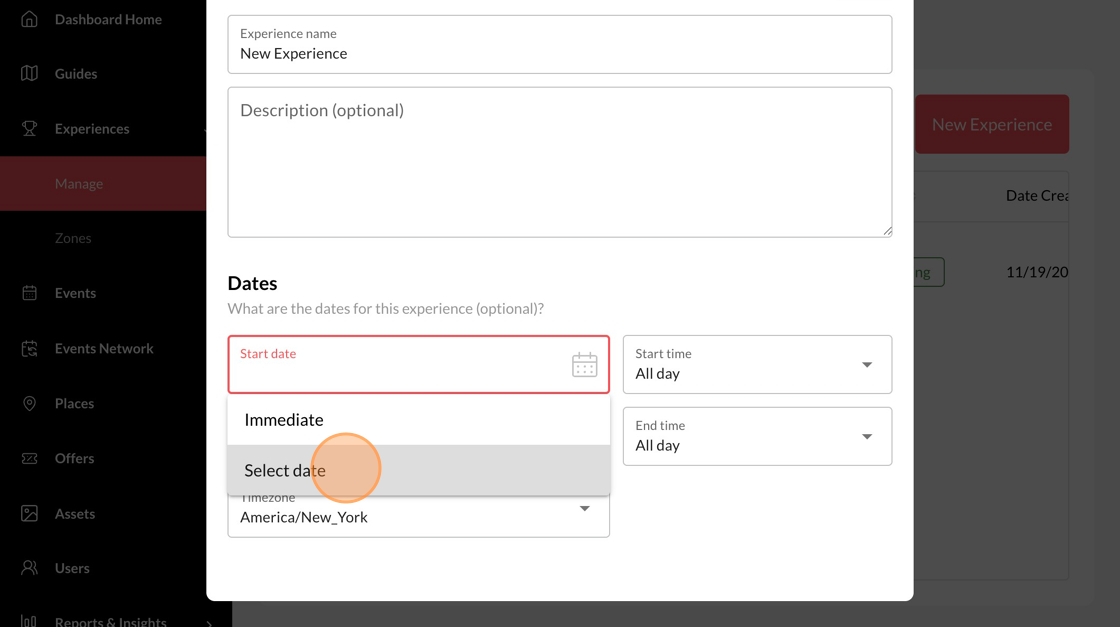
6. Choose the dates that your experience will run
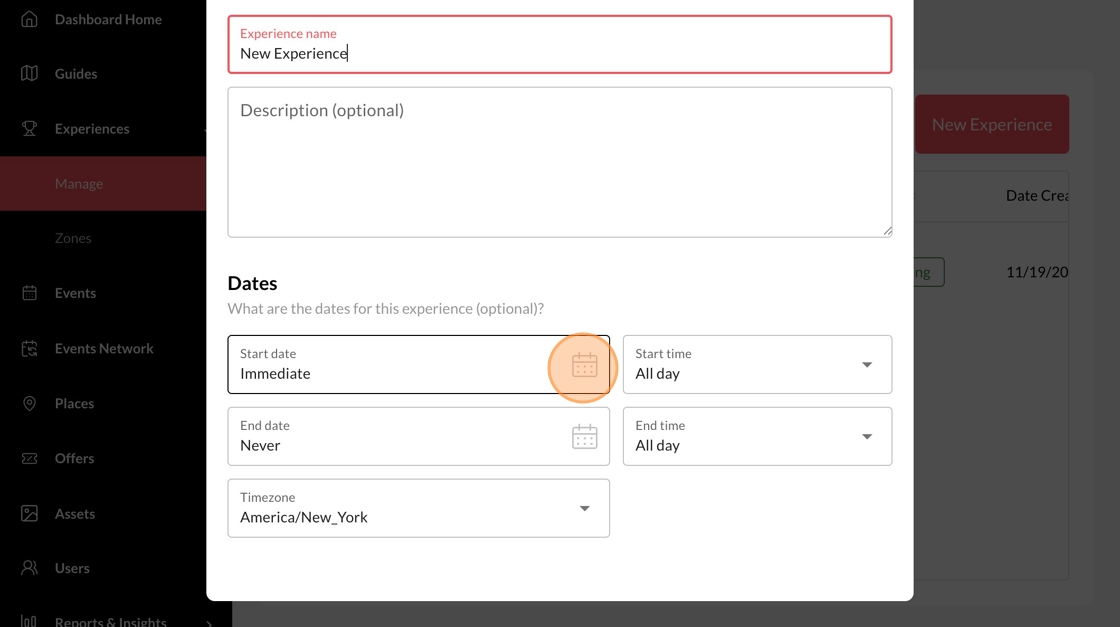
7. Select the start and end dates for your experience
8. Click "Save"
